Scanning with edge detection
Single Scan finds the page, corrects perspective and can clean up smudges and shadows. Capture as many pages as you need in one session; there is no page limit. Import photos from your gallery too.
Private document scanner · Android & iPhone
Turn paper into clean PDFs, editable Word files or images, recognize text on your phone, and redact, sign or password-protect documents before you share them. No account, no ads, and your library stays on your device.
Overview
OnlyScans is the document scanner we built for the paperwork that ends up on your phone anyway: receipts for an expense claim, a lease that needs signing, a form for school, a passport copy for a booking, a page of lecture notes. You point the camera at the page, the app finds the edges and straightens it, and you get a document you can actually use, as a PDF, an editable Word file, or a JPEG or PNG image.
Two things shaped how we built it. The first is that the documents people scan are often the most private ones they own. So OnlyScans keeps its library on your device, scans and recognizes text on the device, and does not ask you to create an account. There are no ads. Your documents leave your phone only when you export or share them, and then they go where you send them.
The second is that a scan is rarely the end of the job. You usually need to do something with it: copy a reference number, cover an account number before sending a statement, add a signature, shrink the file to fit an upload limit, or lock it with a password. Those tools sit next to the scanner instead of in three separate apps. Redaction boxes are burned into the exported page, password-protected PDFs use AES encryption, and the export screen shows you the resolution and the final file size so you know what you are sending.
The free tier is a complete scanner: unlimited scanning, multi-page documents, cropping, rotation and filters, merging documents, and PDF, Word, JPEG and PNG export with no watermarks. Pro adds the heavier tools: batch scanning, text recognition and searchable PDFs, ID and business-card scanning, signatures and page editing including redaction, password-protected exports, App Lock, PDF import and enhanced Word layouts.
OnlyScans is a good fit if you want a scanner that does the everyday jobs well without uploading your paperwork, and if you read or write in more than one script: text recognition covers 89 languages, including Arabic, Hebrew, Chinese, Japanese, Korean and Hindi. It is available on Google Play and the App Store, and the official product site, onlyscans.app, has its own set of how-to guides.
Features
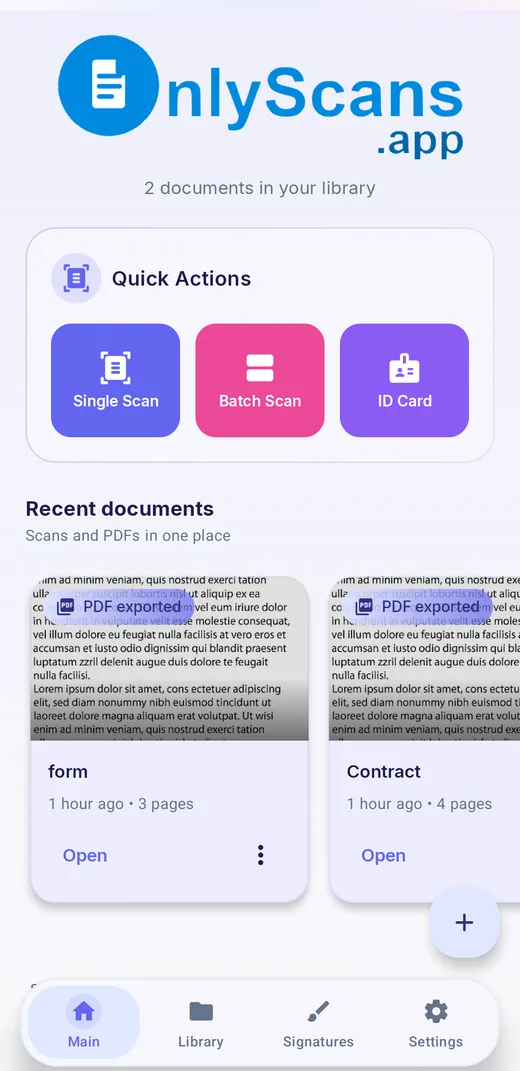
Single Scan finds the page, corrects perspective and can clean up smudges and shadows. Capture as many pages as you need in one session; there is no page limit. Import photos from your gallery too.
With Pro, Batch Scan turns a stack of separate papers into separate documents in one sitting, then lets you review, rename and choose which ones to create.
Export ordinary documents as editable Word files on the free tier. Pro adds an Enhanced layout option that uses an on-device model to keep headings, tables and pictures closer to the original.
Extract and copy text, or export searchable PDFs with an invisible text layer. Recognition runs on the device, across Latin, Cyrillic, Arabic, Hebrew, Chinese, Japanese, Korean, Devanagari and other scripts (Pro).
Scan both sides of an ID and place them on one page, separate pages or a custom A4 layout. Business cards become contacts, including details from vCard QR codes (Pro).
Cover account numbers or addresses with opaque black, dark gray, white or red boxes. Redactions are burned into the exported page, and the text layer is rebuilt from the redacted image (Pro).
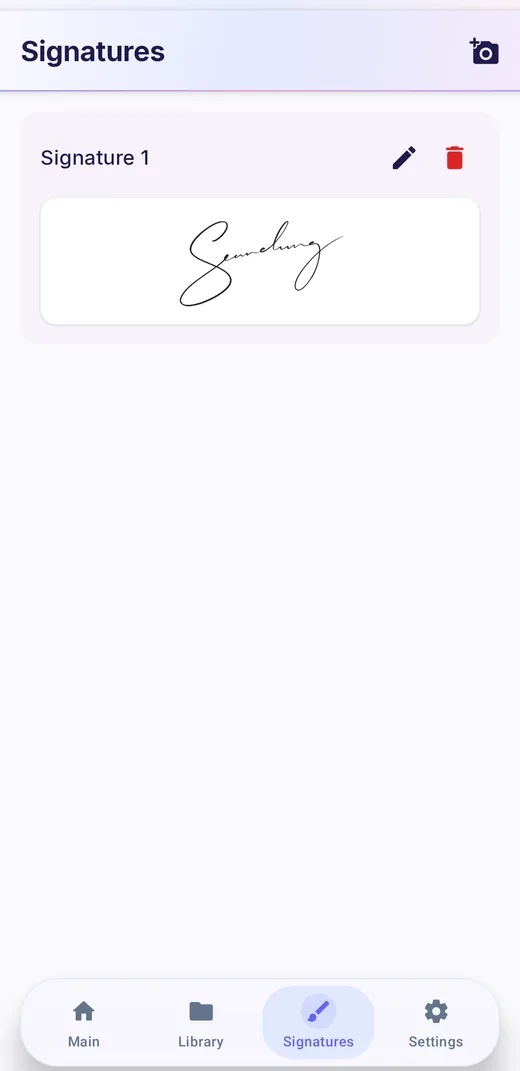
Capture your signature from paper once and reuse it, add typed text with size and color controls, draw freehand, or turn a photo of handwriting into a reusable stamp (Pro).
Original, Enhanced, Grayscale, B&W and Whiteboard filters, plus crop with corner handles, 90-degree and fine rotation. A quality slider sets exports from 72 to 400 DPI.
Lock a PDF so it opens only with a password, or bundle several documents into one password-protected ZIP archive (Pro).
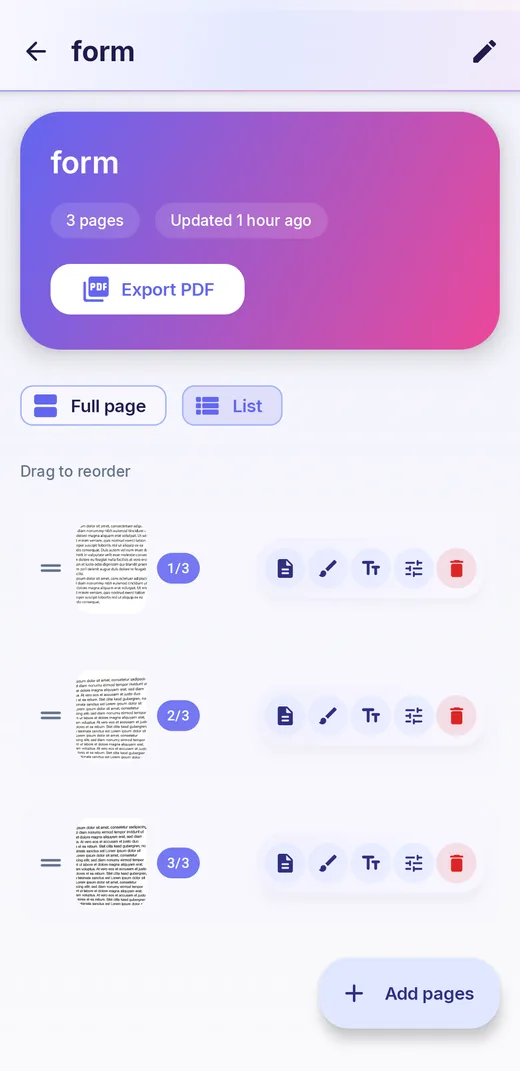
Reorder pages by dragging, merge several documents into one, place multiple pages on a single sheet, and export a selection as individual files or one ZIP.
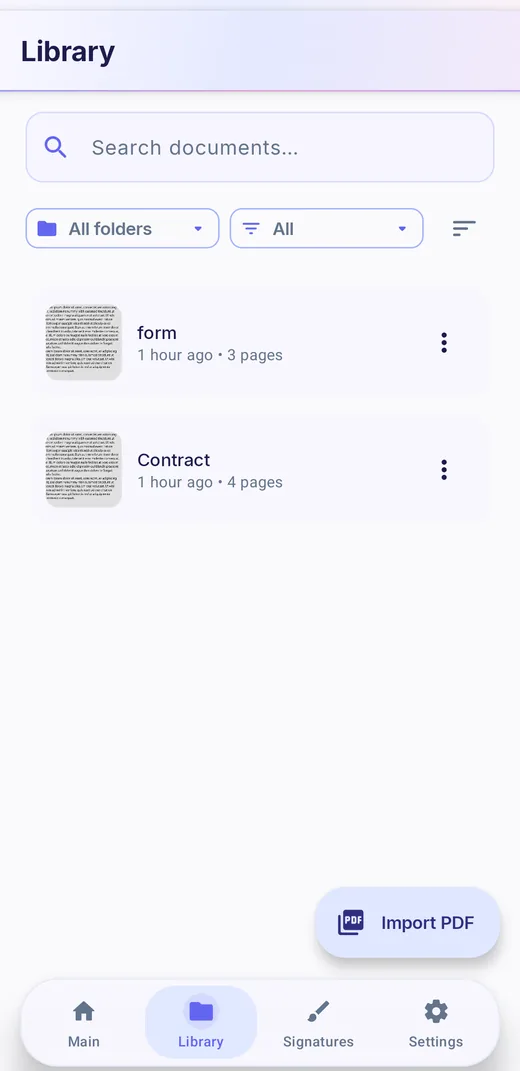
Pin key documents to the main screen, search by title, sort by date, name or page count, and start a scan or open recent documents from home-screen widgets.
Privacy Screen hides recent-app previews and blocks screenshots and screen sharing for free. App Lock (Pro) asks for your device unlock before the app opens.
Getting started
Here is the path from paper to a shared file on Android. The iPhone app follows the same flow with the same screens.
New to phone scanning? Our guide to better phone scans covers light, angle and background, and scanning multi-page documents and books covers long jobs.
Use cases
Scan bills, warranties and school letters into a library you can search by name, then shred the paper. Our paperless home guide sets out a system.
Capture receipts and invoices as you go, export a month at a time as one ZIP, and send PDFs small enough for any expense portal.
Rental, visa and job applications want ID copies and statements. Redact what they do not need, lock the PDF with a password and keep it under the upload limit.
Scan handouts, notes and whiteboards, copy text out of a page with OCR, or rebuild a printed worksheet as an editable Word file.
Turn a stack of business cards into contacts on the train home, with QR contact codes read exactly and uncertain fields flagged for review.
Recognize text in 89 languages. Arabic, Hebrew and several other languages can also use a dedicated on-device camera scanner with page outline detection.
Inside the app
Free and Pro
| Feature | Free | Pro |
|---|---|---|
| Scanning with edge detection, multi-page documents, image import | Yes, unlimited | Yes |
| Crop, rotate, reorder pages; Original, Enhanced, Grayscale, B&W and Whiteboard filters | Yes | Yes |
| Export to PDF, Word (.docx), JPEG and PNG, 72–400 DPI, no watermarks | Yes (Word export for ordinary documents; ID scans export as PDF or images) | Yes |
| Merge documents, arrange pages on one sheet, bulk export as files or ZIP | Yes | Yes |
| Pin, search and sort the library; home-screen widgets; Privacy Screen | Yes | Yes |
| Folders | Yes on iPhone | Yes (Pro on Android) |
| Batch scanning | No | Yes |
| Text recognition, copy text, searchable PDFs | No | Yes |
| Enhanced Word layout (headings, tables, pictures) | No (Standard Word export is free) | Yes |
| ID card and business-card scanning | No | Yes |
| Signatures, typed text, drawings, stamps and redaction | No | Yes |
| Password-protected PDF and ZIP exports | No | Yes |
| App Lock, PDF import, labels, manual image sliders on Android | No | Yes |
Pro is available as a subscription or a one-time purchase; see the in-app upgrade screen for current options. On Android, eligible individual feature packs unlock their own specific tools, but not every Pro feature.
Privacy and offline use
Your scan library is stored locally on your device. Document scanning and text recognition run on the device, and we do not operate a server that receives your documents. There is no account to create and there are no ads. A document leaves your phone only when you export, share, print or save it somewhere, and from that point it follows the settings of the app or service you sent it to.
Scanning works offline once the components it needs are on your phone. Internet access is needed in a few specific cases: to download scanner or text-recognition components, to download optional model packs (an enhanced OCR model for a language, or the roughly 27 MB document-layout models used by the Enhanced Word layout), and to verify purchases. On Android, the default scanner and text recognition use Google Play services and ML Kit components that run on the device.
Several settings protect documents that are already on your phone. Privacy screen hides the app's preview in the recent-apps view and blocks screenshots and screen sharing. App Lock (Pro) asks for your device unlock, such as a fingerprint, face or passcode, before the app opens, and always turns the privacy screen on with it. When you redact a page, the app also clears the document's stored recognized text and any business-card fields, so covered information does not linger in search data.
Because the library lives only on your device, uninstalling the app removes it. Export important documents to storage you back up. The full details are in the OnlyScans privacy policy.
Guides
The three settings that decide how big a scanned PDF gets, with a resolution table and a re-export workflow that keeps text readable.
OnlyScansWhat to hide, the redaction mistakes that leak data anyway, and a four-point check to run before you hit send.
OnlyScansLock a PDF before you send it, pick a password that holds up, and share it without undoing the protection.
OnlyScansCapture cards so text recognition gets them right, fix the errors it typically makes, and file contacts without creating duplicates.
OnlyScansPrep, capture order, flattening curved book pages and fixing mistakes, so a 40-page scan comes out as one clean, correctly ordered file.
OnlyScansFix shadows, glare, blur and warped pages with better light, angle and background, then pick the right filter for the paper.
OnlyScansWhat to keep on paper, how to name and file scans so you can find them, and a 15-minute weekly routine that keeps the pile from coming back.
On onlyscans.app
onlyscans.app is the product's official site. These step-by-step guides live there and open in a new tab.
The basic paper-to-PDF workflow on Android and iPhone.
onlyscans.app ↗Turn a paper page into an editable .docx file.
onlyscans.app ↗Capture both sides of an ID card into one PDF.
onlyscans.app ↗Use your phone as a receipt scanner for expenses and records.
onlyscans.app ↗Add a saved signature to a scanned document.
onlyscans.app ↗How OnlyScans keeps scanning on your device without cloud uploads.
onlyscans.app ↗What the iPhone app does and how to get started.
Common questions
No. Your library is stored on your device, and scanning and text recognition run on the device. Documents leave your phone only when you export, share, print or save them somewhere yourself.
No. There is no sign-up and no login. Purchases are handled by Google Play or the App Store.
Yes. The free tier includes unlimited scanning, multi-page documents, filters and PDF, Word, JPEG and PNG export without watermarks. Pro adds batch scanning, OCR, ID and business cards, signatures, redaction, password protection and more.
No. OnlyScans does not show ads.
Yes, for ordinary documents. Standard Word export is free. Pro adds an Enhanced layout option that keeps headings, tables and pictures closer to the original. ID scans export as PDF or images rather than Word.
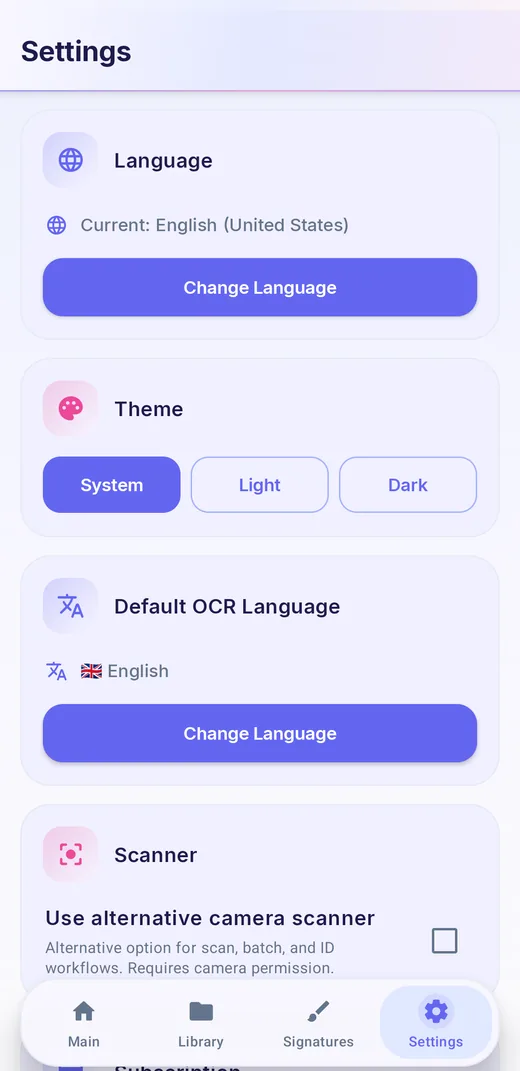
Text recognition covers 89 languages, across Latin, Cyrillic, Arabic, Hebrew, Chinese, Japanese, Korean, Devanagari and other scripts. You can set a default OCR language in Settings and download enhanced models for some languages.
Yes, once the scanner and recognition components it needs are on your phone. Internet access may be needed to download those components or optional model packs, and to verify purchases.
In exported files, yes. Redaction boxes are drawn into the page image, and any searchable text layer is recognized from the redacted image. The app keeps an editable version in your library so you can adjust boxes later.
Yes, with Pro. Turn on Password protect when exporting a PDF, or protect a ZIP of several documents. See our guide to password-protecting PDFs.
The library search matches document titles. To search the words inside a document, export a searchable PDF (Pro) and search it in any PDF reader.
The library is stored only on your phone, so uninstalling removes it. Export anything you want to keep first.
More from Yodabi
An offline budget planner for expenses, monthly budgets, subscriptions, savings goals and debt payoff, with no bank sync and no account.
Turn videos, photos, screen recordings and camera clips into GIFs on Android, with captions, speed and loop controls.
Calm classic and color nonogram puzzles that are always solvable with logic, plus puzzles made from your own photos.
A satirical roguelike farm-defense shooter: draft a build, manage gun heat and hold the sky through 12-stage seasons.