Video to GIF
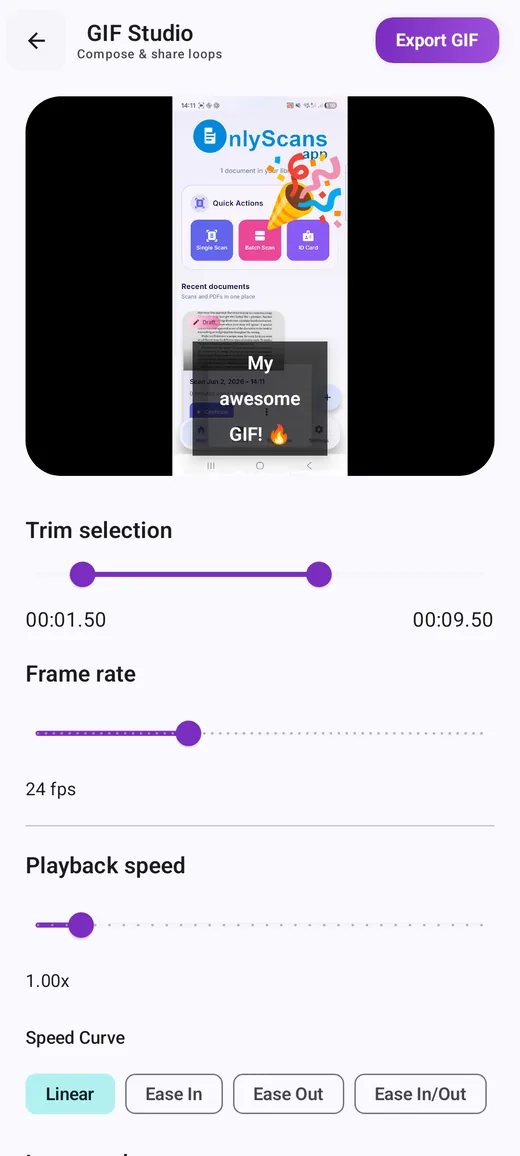
Pick a clip in Android's photo picker and set the start and end with two handles. Timestamps show hundredths of a second, so you can cut right on the action.
Free GIF maker and editor · Android
Turn a video, a screen recording, a camera clip, a set of photos or an existing GIF into a clean, looping GIF. Trim it, set the speed and loop style, add captions or meme text, and export at the file size you need. No account, no watermark, and your media is processed on your phone.
Overview
GifLab is the GIF maker we built for Android because making a decent GIF on a phone usually meant juggling several apps: one to record, one to trim, one to convert, and often a fourth to shrink the result back down to something you could actually send. GifLab puts the whole job in one place. You start from whatever you have — a video in your gallery, a recording of your screen, a quick camera clip, a handful of photos or a GIF someone sent you — and finish with a looping file saved to your gallery and ready to share.
It is built for quick results rather than timeline editing. There are no tracks or keyframes to learn. The editor is one scrolling screen: trim with two handles, set the frame rate and playback speed, choose forward, reverse or boomerang, pick a canvas, and add a caption, meme text, a filter, emoji stickers or a quick drawing if the GIF needs it. When a chat app or website has an upload limit, you can give GifLab a target file size and let it balance resolution, smoothness and colors to fit, instead of exporting again and again until something works.
GifLab suits people who send reaction GIFs and memes, people who explain things with short screen captures — support teams, developers filing bug reports, teachers and anyone writing a how-to — and people who like animating photos with stop-motion, burst sequences and before-and-after loops.
What makes it different is mostly what it leaves out. There is no account, no cloud project storage and no watermark on exports. GIFs are encoded on your phone, and the optional AI tools — person background removal and sticker tracking — run on the device too. Every creative tool is free; the free version shows ads, and a one-time Support GifLab purchase removes them.
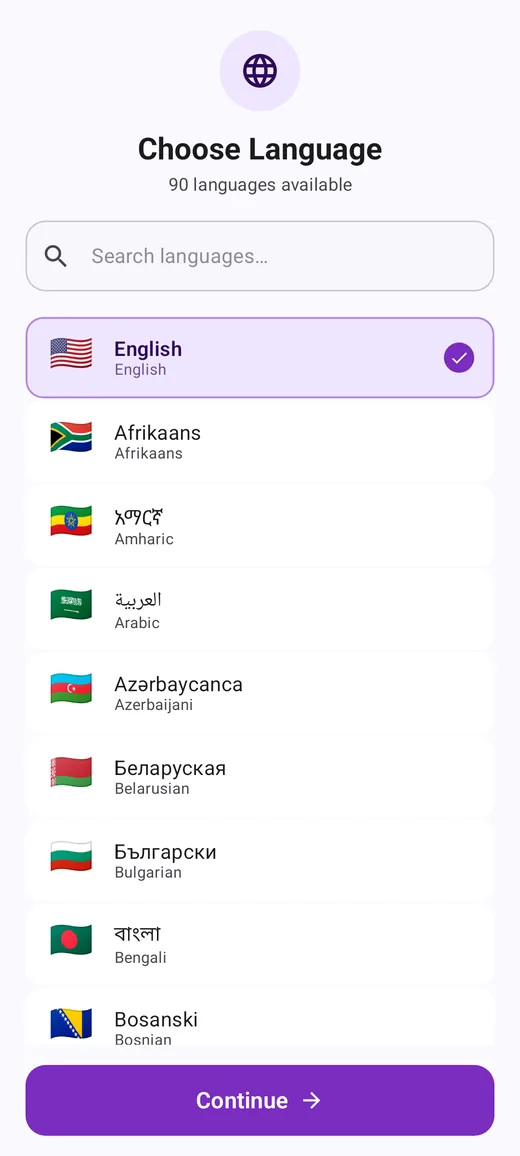
GifLab is available for Android on Google Play, in 90 languages.
Features
Pick a clip in Android's photo picker and set the start and end with two handles. Timestamps show hundredths of a second, so you can cut right on the action.
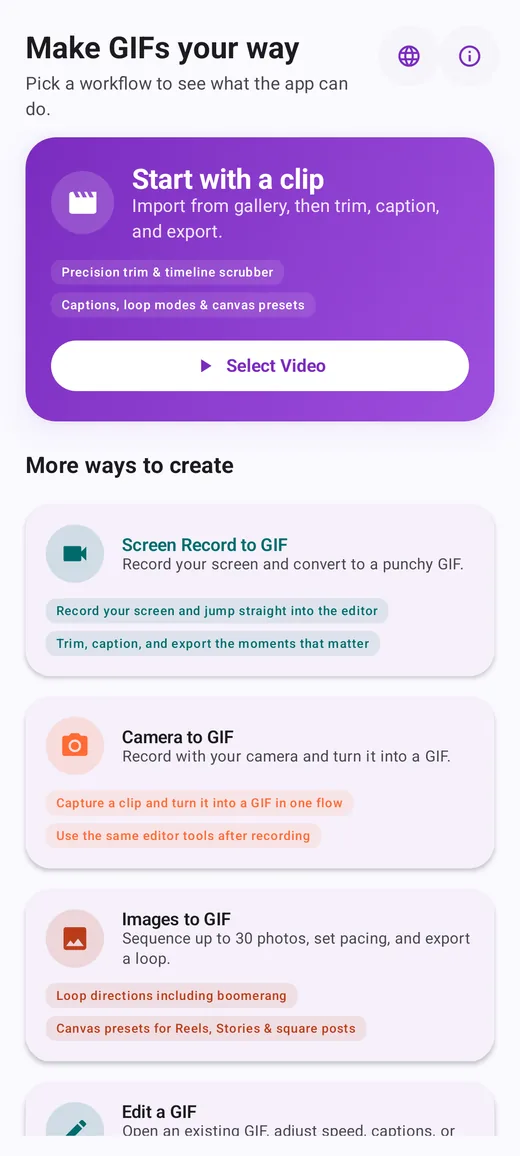
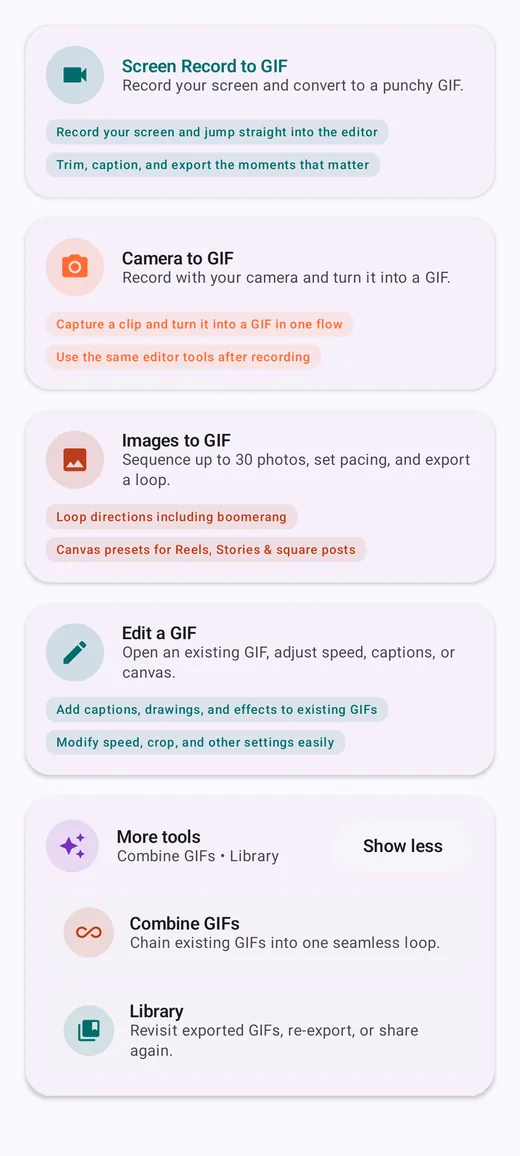
Record your screen from inside the app. Stop from the notification, a floating control or the app, and the recording opens straight in the editor, ready to trim and annotate.
Record a clip with your phone's camera app and GifLab hands it directly to the same editor, so a moment becomes a GIF in one flow.
Sequence 2 to 30 photos, reorder them with arrows and set the frame timing from 4 to 24 fps, with the time each photo stays on screen shown in milliseconds.
Open any GIF file to change its speed, crop, loop mode or captions, or shrink it to a target size, then save it as a new file. The original stays untouched.
Chain GIFs back to back, set their order, choose a frame rate from 5 to 24 fps and a target long edge. The first clip sets the canvas shape for the whole sequence.
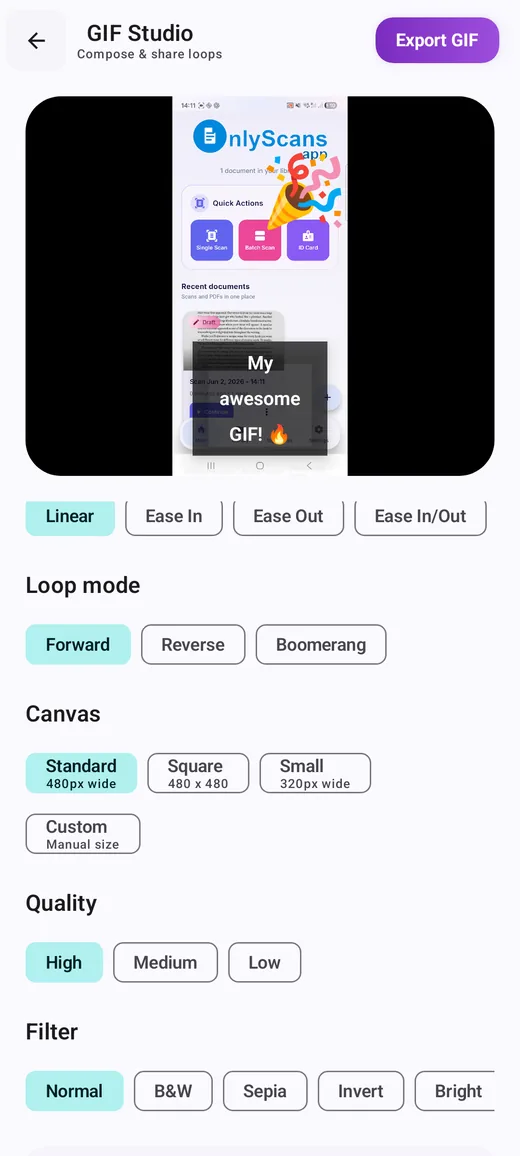
Frame rate from 5 to 60 fps, playback speed from 0.25x to 8x, Linear or eased speed curves, and Forward, Reverse or Boomerang loop modes.
Extract frames from your trimmed clip at a rate you choose, then delete unwanted frames, duplicate frames to create pauses and move frames into a new order.
Free-form captions placed top, center, bottom or anywhere you drag them, with 18 fonts and colored or custom text backgrounds. Eight meme templates range from Classic Meme to Cinema Bars and Neon Glow.
21 filters with an intensity slider, emoji and sticker packs you can move, pinch and rotate, sticker tracking that follows a face or object, freehand drawing, and optional AI background removal for people.
Export to 1, 2, 5 or 10 MB or a custom limit from 0.1 to 100 MB. Or set it yourself: Standard (480 px wide), Square, Small (320 px wide) or a custom size, at High, Medium or Low quality.
Every export appears in an on-device Library with thumbnails. Filter by workflow, add labels such as "Reaction" or "Work chat", share again, re-export, or reopen a project to keep editing.
Getting started
Here is the path from a video to a shared GIF. The other workflows follow the same pattern: choose your media, adjust, export.
For the details behind each step, read our guides to turning a video into a GIF on Android and GIF frame rate and speed.
Use cases
Cut the two seconds that matter from a video, add top and bottom text with a meme template, and export small enough for any chat. See our guide to adding text to a GIF.
Record the steps on your screen, crop to the part that matters, and circle the button with the drawing tool. Our screen recording guide covers keeping text readable.
A short looping clip of the problem says more than a paragraph. Developers and testers can attach it to an issue where it plays inline.
Pick a square or vertical canvas, add a filter and a caption, and loop it as a boomerang for a post that keeps moving.
Turn a burst of a jump, a stop-motion sequence or a before-and-after pair into a loop. Our photo GIF guide covers shooting and timing.
Join up to four short GIFs into one: steps of a recipe, the best moments of a match or a setup followed by the punchline.
Inside the app
Free and supporter
| Feature | Free | With Support GifLab |
|---|---|---|
| Video, screen recording, camera, photos, Edit a GIF and Combine GIFs workflows | Yes | Yes |
| Trim, frame rate, playback speed, speed curves and loop modes | Yes | Yes |
| Frame Editor: extract, duplicate, remove and reorder frames | Yes | Yes |
| Captions, meme templates, all fonts, filters, stickers and drawing | Yes | Yes |
| AI background removal and sticker tracking | Yes | Yes |
| Target file size, canvas presets and quality settings | Yes | Yes |
| Watermark on exports | None | None |
| Library, re-export and sharing | Yes | Yes |
| Ads | Banner ads, and an occasional full-screen ad when you export | Removed |
Support GifLab is a one-time purchase through Google Play that removes ads on your account. It can be restored on another device with the same Google Play account from the Support GifLab screen. See the app for the current price.
Privacy and offline use
GifLab processes your GIF projects locally. Trimming, encoding, captions, filters and exports all happen on the device, and we do not run a server that receives your videos, photos or GIFs. There is no account to create. The optional AI features — person background removal and the Track Object option for stickers — use on-device models, so frames are not sent anywhere for analysis.
Access to your media is narrow by design. GifLab uses Android's photo picker, which gives the app only the files you select. Screen recording starts only after Android's own capture prompt, which appears each time you record, and the screen recorder does not use the microphone. Finished GIFs are written to Pictures/GifLab in your gallery; on Android 9 and earlier, the app asks for storage permission at that point. Library records and labels are stored in app-only storage on the device.
Everything you create works without an internet connection. GifLab uses the network for ads (served by Google AdMob), the consent options Google requires in some regions, and checking for app updates. You can review or change your ad consent at any time from the Info & privacy screen, reached from the info icon on the home screen.
Because projects live only on your phone, uninstalling the app or clearing its data removes the Library. GIFs you exported stay in your gallery. The full details are in the GifLab privacy policy.
Guides
Pick the moment, trim it tight, choose sensible settings and export a GIF that looks good and stays small.
GifLabShoot a sequence that animates well, pick the right time per photo and export a smooth, compact loop.
GifLabPlan the recording, protect private info, crop to what matters and export a GIF where the text is still readable.
GifLabWhy GIFs balloon, which settings shrink them most and how to hit a size limit while keeping the GIF watchable.
GifLabWrite captions people can read at a glance: size, contrast, placement and wording for GIF text and memes.
GifLabWhen to use forward, reverse or boomerang, and how to trim a clip so the loop has no visible jump.
GifLabJoin GIFs back to back cleanly: match their shape, size and frame rate first, then merge and fine-tune the order.
GifLabFrame rate versus speed, how GIFs store timing in hundredths of a second, and the settings that keep motion smooth.
Common questions
Yes. Every creative tool is free to use. The free version shows ads, and an optional one-time Support GifLab purchase removes them.
No. Exports are clean on the free version as well.
No. GIF projects are processed on your phone, and your source media and finished GIFs are not uploaded to a server.
Yes. Creating, editing and exporting GIFs all work without a connection. The internet is used for ads, consent options and update checks.
Not at the moment. GifLab is available for Android on Google Play.
Between 2 and 30 photos per GIF in Images to GIF. To hold one photo longer, add it more than once and place the copies next to each other.
Two to four per export. To join more, combine the first group, then combine the result with the next clips. See our guide to combining GIFs.
Yes. Choose Target file size and pick 1, 2, 5 or 10 MB or enter a limit between 0.1 and 100 MB. If it cannot fit at usable quality, GifLab tells you so you can shorten the clip. More in our file-size guide.
In your gallery under Pictures/GifLab. Each export also appears in the in-app Library, where you can share it again, re-export it or remove it.
Yes. Projects marked Editable in the Library reopen with their settings, as long as the original media is still on your phone. You can also open any GIF file with Edit a GIF.
No. The GIF format cannot store audio, and the screen recorder does not use the microphone.
GifLab runs on Android 7.0 and newer.
More from Yodabi
A private PDF scanner with on-device text recognition, scan to Word, signatures and a local document library.
An offline budget planner for expenses, monthly budgets, subscriptions, savings goals and debt payoff, with no bank sync and no account.
Calm classic and color nonogram puzzles that are always solvable with logic, plus puzzles made from your own photos.
A satirical roguelike farm-defense shooter: draft a build, manage gun heat and hold the sky through 12-stage seasons.