Fast income and expense logging
Record income, expenses and transfers between accounts with amount, date, category, account and an optional note. Notes you have used before suggest their category automatically.
Offline-first personal finance · Android · iPhone as Spendora
Plan your money on your phone: log income and expenses, set monthly category budgets, track subscriptions and bills, and plan savings and debt payoff. There is no bank connection and no account to create — your records stay on your device.
On iPhone and iPad, the app is called Spendora. It is the same offline, account-free budgeting approach from the same team, built natively for iOS and iPadOS. See the Spendora privacy policy and Spendora support page.
Overview
BudgetVault is a manual budget planner and expense tracker. You record what you earn and spend, and the app turns those entries into a monthly overview: your balance, spending by category, progress against each budget, upcoming subscription renewals and, if you want them, longer-term plans for savings, debt and net worth.
What makes it different is what it leaves out. BudgetVault has no account system, no app server and no cloud sync for your budget data, and it never asks for a bank login. Your financial records are stored and processed on your phone. That makes it a good fit for people who want a clear picture of their money without handing a full transaction history to another company — and for anyone who has found that automatic bank imports quietly stopped them paying attention.
Manual does not have to mean slow. Adding an expense is a few taps: amount, category, done. If you type a note you have used before, BudgetVault suggests the category you picked last time. Budgets carry forward into each new month, subscriptions can record their own renewals, and optional daily reminders nudge you to log anything you missed. When you want more history at once, you can import a CSV file instead of typing.
BudgetVault is free to start, with unlimited income and expense entries and enough room for a typical personal budget: up to 3 accounts, 5 monthly category budgets and 3 subscription trackers. Data portability is never locked — CSV and PDF export, CSV import and local backup and restore are free. BudgetVault Pro is a one-time purchase, not a subscription, and adds planning tools such as savings goals, snowball and avalanche debt payoff calculators, net worth tracking, reports, split transactions, templates and receipt OCR.
We build BudgetVault for people who want to stay in control: students on a first budget, households that budget together on one phone, freelancers with irregular income, people paying down debt and anyone who simply prefers their finances to stay private. It is a budgeting tool, not a bank, lender, tax advisor or investment advisor.
What it does
Record income, expenses and transfers between accounts with amount, date, category, account and an optional note. Notes you have used before suggest their category automatically.
The Home tab shows the month’s balance, income and expenses, overall budget progress, a spending-by-category chart and recent transactions. Step back and forward through months.
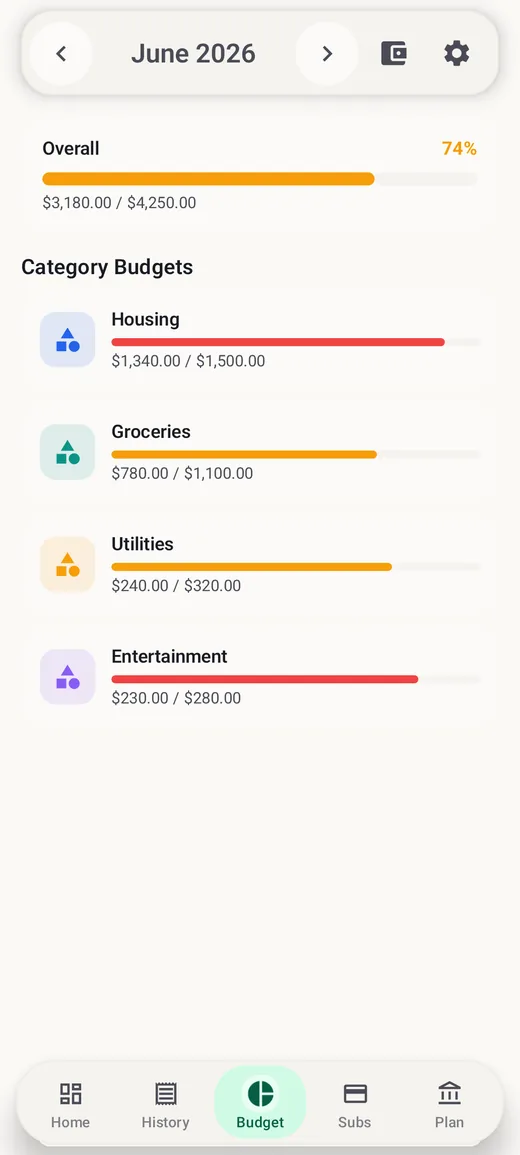
Set a limit per category and per account, watch the Overall bar and category bars fill up, and get optional alerts at 80% and 100%. Limits carry forward to the next month automatically.
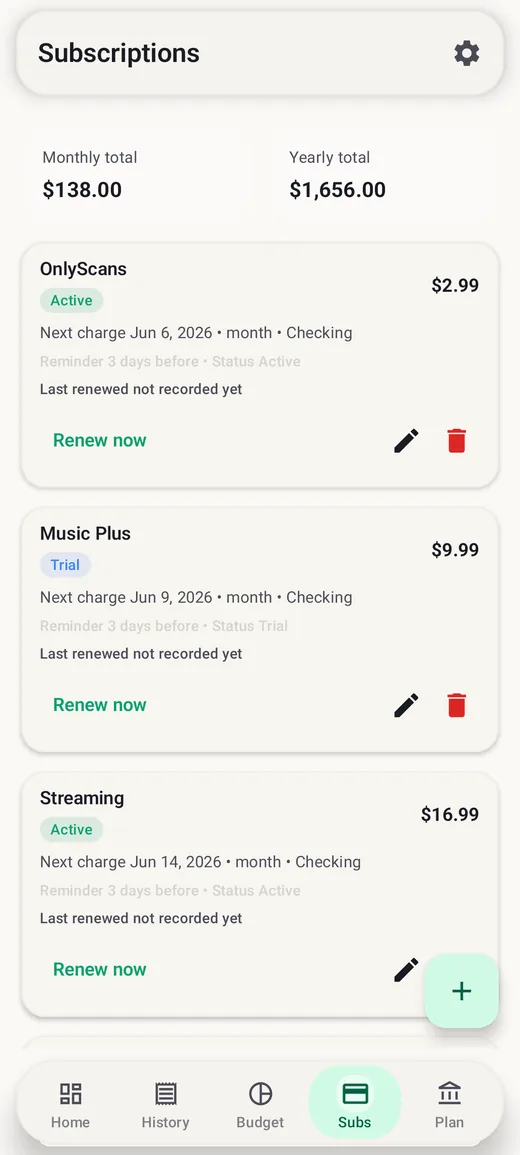
Track subscriptions billed every so many weeks, months or years, with status (Active, Trial, Paused, Canceled), reminders up to 7 days ahead and monthly and yearly totals.
Add monthly due-date alerts for credit cards and bills on the Subs tab. Pick the due day, and BudgetVault uses the last day of shorter months when needed.
Search transactions and filter by type, category, account and date. Deleted a transaction by mistake? Undo brings it straight back.
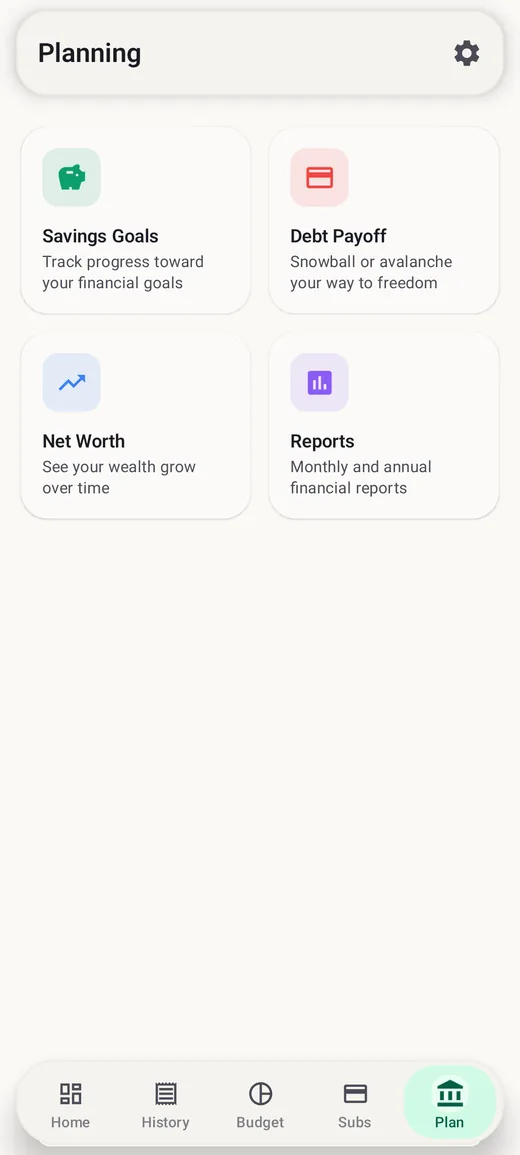
Create goals with a target and an optional deadline, add funds or withdraw as you go, and see finished goals move to a Completed list. Ideal for sinking funds.
Enter balances, interest rates and minimums, add an extra monthly payment and compare snowball and avalanche plans side by side, including total interest and estimated payoff time.
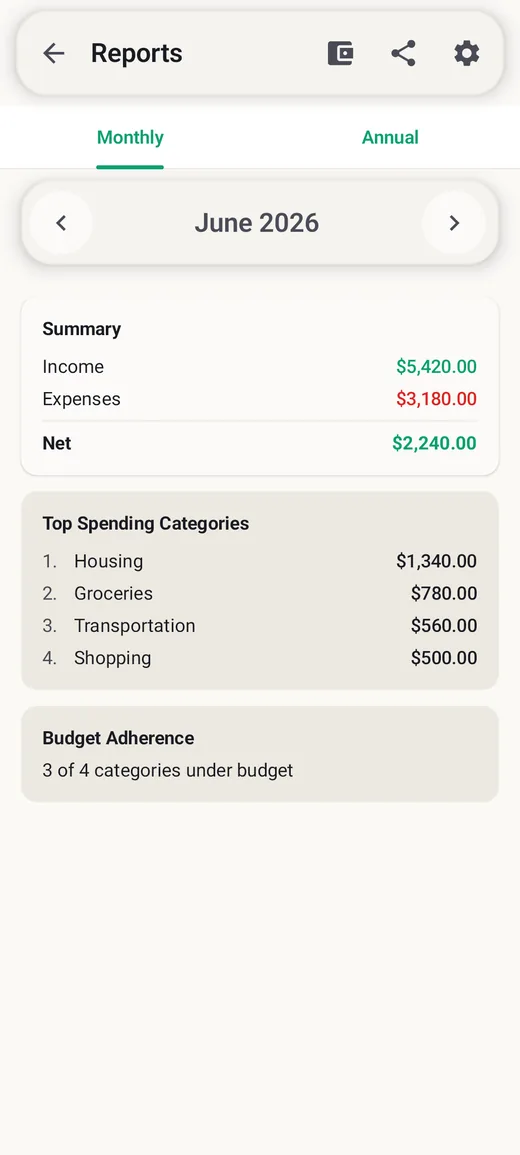
Follow a net worth trend over 3 months to all time, compare months in spending charts, and open monthly and annual reports with top categories, budget adherence and total saved.
Split one receipt across several categories, save repeat purchases as templates, and let receipt OCR suggest amount, merchant, date and category for you to review.
Choose your currency and switch the display currency using an exchange rate you enter or fetch. The interface is available in more than 90 languages.
Protect the app with a 4-digit PIN (biometric unlock with Pro), add the home screen widget, and pick light, dark or system theme with accent colors; AMOLED and custom themes come with Pro.
Getting started
Want the full method behind these steps? Our guide to making a monthly budget walks through choosing limits with real numbers.
Who it is for
Log spending by hand, reconcile weekly against your bank app and keep your transaction history off third-party servers. Our manual budgeting guide shows the routine.
List every debt in the payoff planner, compare snowball and avalanche orders, then record payments and watch each balance fall.
See every recurring charge with its true yearly cost, mark trials so they stand out, and get reminded before the next charge.
Use savings goals as sinking funds for insurance, holidays, travel or a new phone, so large bills never land on a card.
Budget on a conservative income figure, track what actually arrives each month and use reports to compare good and lean months.
Students and first-time budgeters can start free, log for a month and let the spending-by-category view show where to set the first limits.
Inside the app
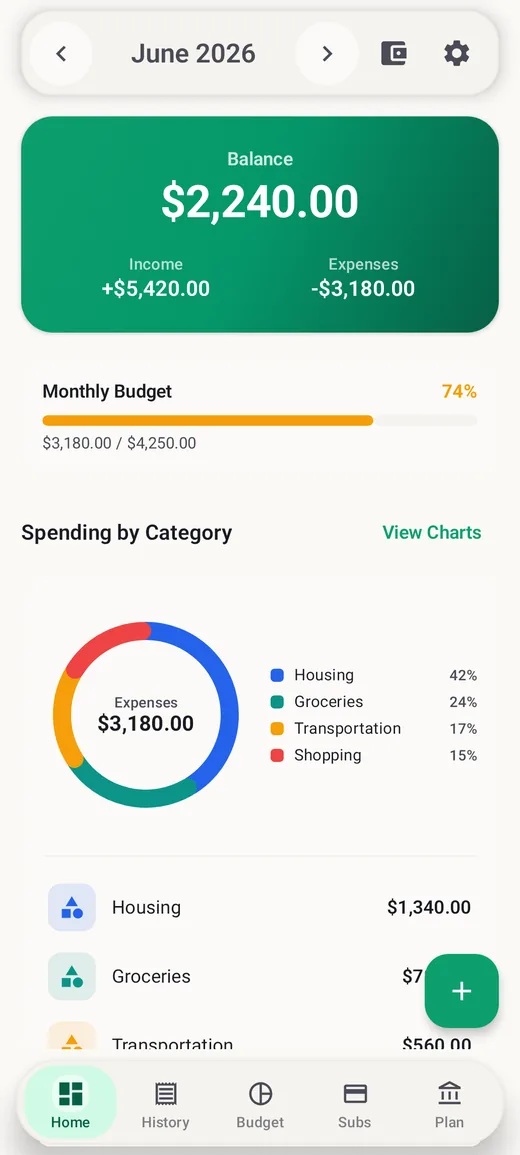
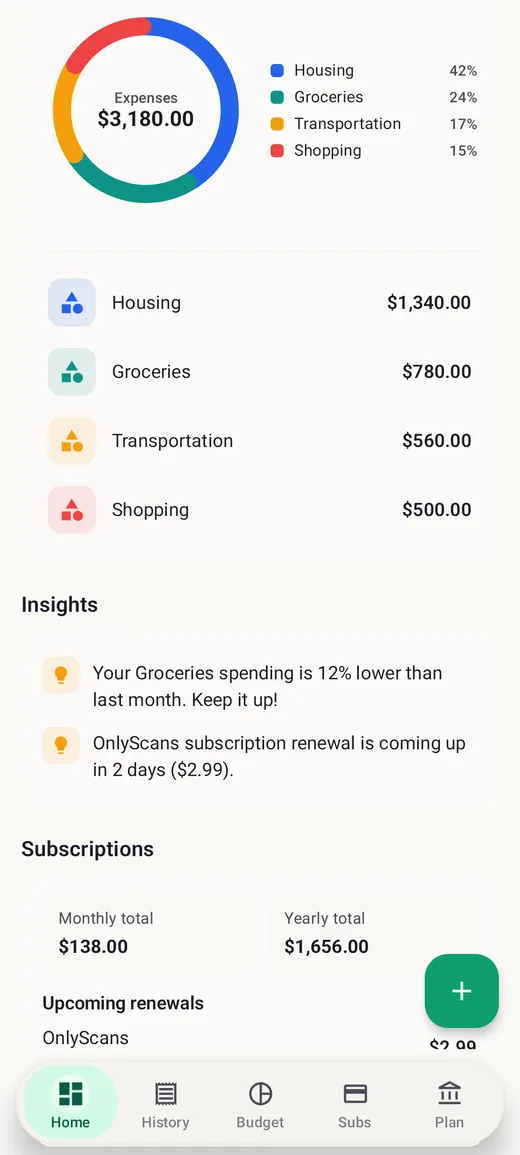
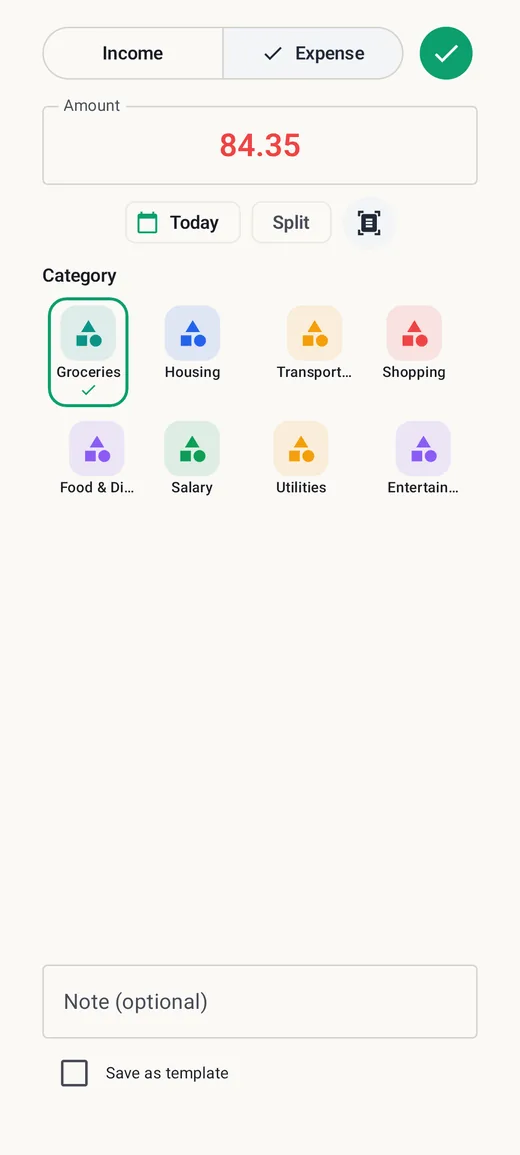
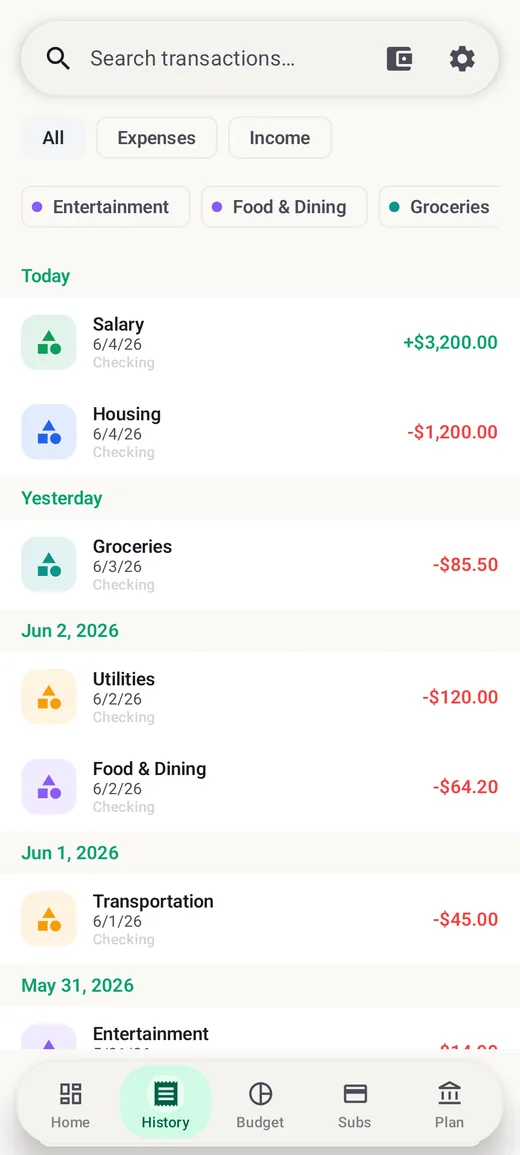
Free and Pro
The free version covers everyday tracking. BudgetVault Pro is a one-time purchase that you keep — there is no subscription. This table describes the Android app.
| Feature | Free | Pro |
|---|---|---|
| Income and expense entries | Unlimited | Unlimited |
| Accounts | Up to 3 | Unlimited |
| Monthly category budgets | Up to 5 | Unlimited |
| Subscription trackers | Up to 3 | Unlimited |
| Budget alerts | Yes | Yes, plus spending-pace alerts |
| Categories | Built-in categories | Custom categories |
| CSV and PDF export, CSV import, backup and restore | Yes | Yes |
| PIN lock | Yes | Yes |
| Biometric unlock | — | Yes |
| Home screen widget | Yes | Yes |
| Spending charts and local insights | — | Yes |
| Savings goals | — | Yes |
| Debt payoff tools (snowball and avalanche) | — | Yes |
| Net worth tracking | — | Yes |
| Monthly and annual reports | — | Yes |
| Split transactions and reusable templates | — | Yes |
| Receipt OCR | — | Yes |
| Themes | Light, dark, system and accent colors | Adds AMOLED and custom themes |
Privacy and offline use
BudgetVault is built for manual, local-first budgeting. Transactions, accounts, budgets, subscriptions, goals, debts, exchange rates and settings are kept in a database on your device. There is no BudgetVault account to sign up for, no app server that receives your records, no cloud sync and no bank connection. Everyday budgeting works without an internet connection.
The app does use the network for a few specific things: Google Play services for billing, app updates and review prompts, availability of the receipt OCR module, and optional exchange-rate fetching when you tap to look up a current rate. Your manually entered budget records are not sent to a BudgetVault server as part of any of these.
Local-first also means you are in charge of your copies. Exports and backups are created only when you ask for them, and you choose where they are saved. Keep backup files somewhere you trust — they contain your financial records — and make one before you change phones or uninstall the app, because uninstalling removes the app’s data from the device. For extra protection, turn on the 4-digit PIN lock, or biometric unlock with Pro, in Settings → Security.
For the full details, read the BudgetVault privacy policy. On iPhone and iPad, Spendora follows the same principles; its iOS privacy policy describes exactly what that version stores and when it connects. For a broader look at how to judge any finance app, see our guide Are budget apps safe?
Learn more
A simple manual budgeting system that keeps you in control — without handing a budgeting app your bank login.
BudgetVaultSee both payoff methods run on the same three debts — and why the cheaper plan is not always the one that works.
BudgetVaultA step-by-step subscription audit: find every recurring charge, see the true yearly cost and cancel what you no longer use.
BudgetVaultSplit take-home pay into needs, wants and savings — with a worked example and what to do when the numbers do not fit.
BudgetVaultSeven steps from bank statements to a realistic monthly budget, with a fully worked example you can copy.
BudgetVaultTurn big, predictable bills into small monthly amounts with sinking funds — formula, worked example and setup tips.
BudgetVaultWhat a budget app can see, where your data goes, and a 10-point checklist to judge any app before you trust it with your money.
BudgetVaultAssets minus liabilities, done properly: what to include, how to value it and why the trend matters more than the number.
BudgetVaultEarn in one currency and spend in another? Pick a home currency, record the right rate and budget for exchange swings.
Common questions
No. BudgetVault is a manual budget planner with no bank connection or bank-data sync. You enter transactions yourself or import them from a CSV file you choose.
No. There is no sign-up, login or BudgetVault account. Your financial records are stored and processed on your device.
Yes, everyday budgeting works without an internet connection. The network is only used for Google Play services such as billing and updates, receipt OCR module availability and optional exchange-rate lookups.
No. Pro is a one-time purchase that you keep. It removes the free limits and adds the planning, reporting and convenience features listed above.
Unlimited income and expense entries, up to 3 accounts, 5 monthly category budgets and 3 subscription trackers. PIN lock, the home screen widget and import, export and backup are included free.
Create a backup in Settings → Export & Backup, copy the file to the new phone, install BudgetVault and use Restore. Restoring replaces the data currently in the app.
Yes, from a CSV file. It needs Date (YYYY-MM-DD), Type, Amount and Category columns; Account and Note columns are optional. Most bank exports need a little tidying first.
With Pro, you can scan a receipt while adding a transaction. BudgetVault suggests the amount, merchant, date and category, and you review the suggestions before saving.
You choose your currency during setup and can switch the display currency later by entering an exchange rate or fetching a current one online. On Android, accounts share one currency; Spendora on iPhone supports accounts in different currencies.
Yes — on iPhone and iPad the app is called Spendora: Offline Budget App, available on the App Store. It shares the same offline, no-account approach. See the Spendora support page for iOS help.
No. BudgetVault is a budgeting and record-keeping tool, not a bank, lender, tax advisor, investment advisor or credit repair service. Its calculators are for planning.
More from Yodabi
A private document scanner for receipts, statements and paperwork, with on-device OCR and PDF export.
Turn videos, photos and screen recordings into GIFs on Android, with captions, speed and loop controls.
Calm classic and color nonogram puzzles that are always solvable with logic.
A satirical roguelike farm-defense shooter: draft a build, manage gun heat and hold the sky through 12-stage seasons.